
REVIEW · NEW YORK CITY
NYC: See Yourself on a Times Square Billboard for 24 Hours
Book on GetYourGuide →Operated by Welcome to Times Square · Bookable on GetYourGuide
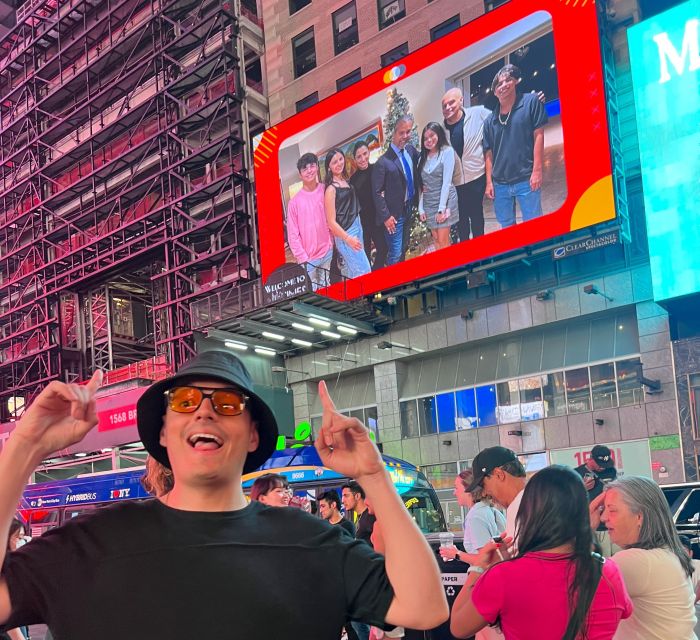
Your photo in Times Square, without the red-carpet stress. This 24-hour billboard moment lets you upload a picture or video that plays 15 seconds every hour at the heart of Times Square. I love how it feels personal in such a huge place, and I love the promise that your image keeps showing up throughout the day and night. One thing to consider: the billboard is in a crowded pocket of Midtown, so you’ll want a plan for where you’ll stand when your time hits.
I also like the flexibility—your group can share one image, or you can grab separate tickets so each person gets their own spot. The live stream is a nice backup, especially when family can’t make it to New York in person. If you’re hoping for maximum visibility, keep in mind Times Square glare and angle matter when you’re viewing the screen up close.
In This Review
- Key Highlights to Know Before You Go
- Finding Your Billboard Fast: 1560 Broadway, Above the Pelé Store
- How the 15-Second-Per-Hour Schedule Really Feels in Real Time
- Uploading Your Photo or Video Without Getting Declined
- Frames, Text, and Turning a Screenshot Into a Real Message
- Watching It in Person and Online: Getting the Surprise for More People
- Price and Value: Does $150 Buy Enough Wow?
- Quick Tips for a Smooth Surprise (And a Few Common Snags)
- Should You Book This Times Square Billboard Moment?
- FAQ
- Where is the Times Square billboard located?
- How long does my photo or video show?
- What if there are technical issues with the billboard display?
- Can I submit one photo for a group?
- Can multiple people have separate photos?
- Can I add a custom frame or text?
- How do I reserve my time slot?
- How soon will I get confirmation of my time slot?
- Can I change my photo or video after uploading?
- Are there content restrictions for uploads?
Key Highlights to Know Before You Go
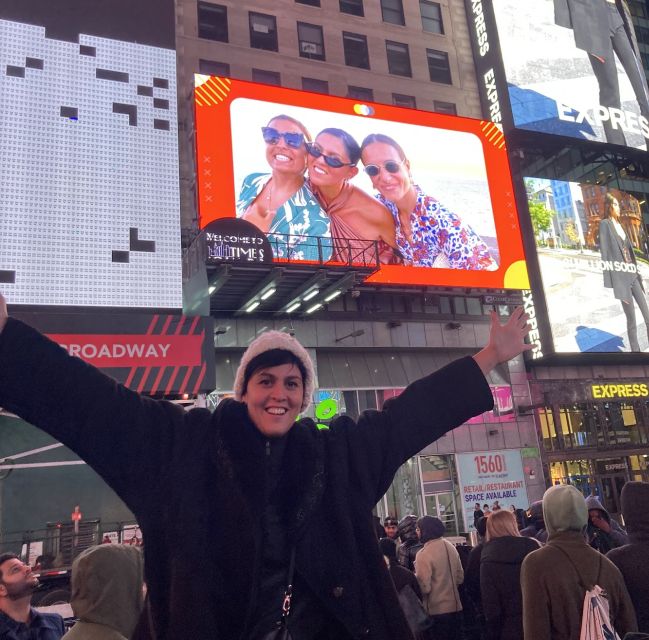
- 15 seconds every hour for 24 hours means you can catch it more than once
- Times Square placement: above the Pelé store, across from the TKTS red steps
- Group or individual options: one shared photo or separate photos per person
- Custom frames and optional text to match the occasion
- Your slot depends on upload timing: it isn’t reserved until you submit your media
- Showtime protection: you’re guaranteed 22 showtimes in a 24-hour period if technical issues happen
Finding Your Billboard Fast: 1560 Broadway, Above the Pelé Store
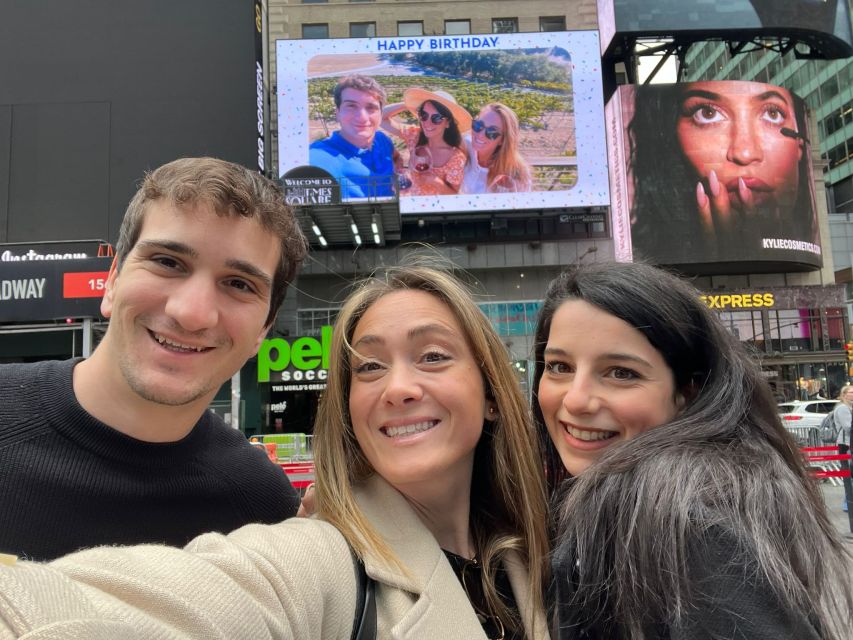
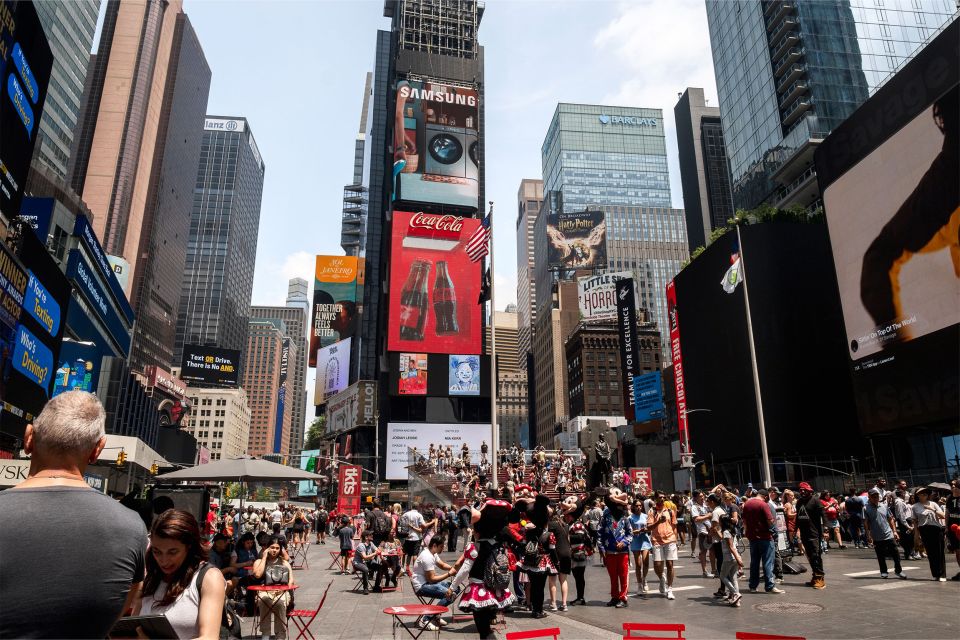
The whole experience is built around one very specific Times Square spot, and knowing it saves you from Midtown map panic. The billboard is at 1560 Broadway between 46th and 47th Street, positioned above the Pelé store. You’ll also find it directly across from the famous TKTS red steps, which makes it easier to orient yourself even when the sidewalks get packed.
When you arrive, don’t treat it like a normal photo stop where you stroll, snap, and leave. Treat it like a moment you’re timing. Pick a clear landmark—TKTS steps or the Pelé store frontage—and then figure out where you can comfortably watch the screen when your hour starts.
One practical note: you’re paying for the wow factor, so make sure you can actually see it from where you’ll stand. Even though it’s right in the open, Times Square can be blinding in daylight. If you’re planning for the best viewing, consider showing up when you’ll be able to watch without squinting and without constantly getting blocked by people moving through.
You can also read our reviews of more tours and experiences in New York City.


How the 15-Second-Per-Hour Schedule Really Feels in Real Time
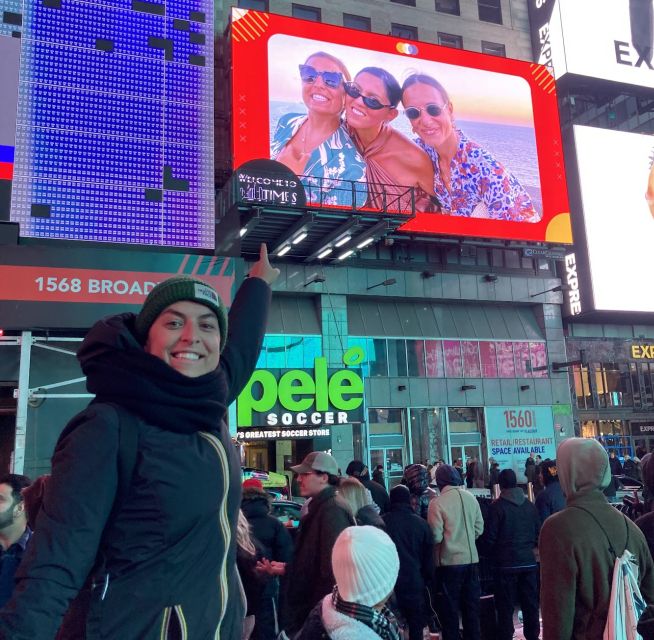
This isn’t a one-and-done billboard moment. Your photo or video plays 15 seconds every hour for 24 hours on your chosen date. That structure changes the whole vibe: instead of rushing to catch a single show, you get multiple chances, and it turns into a little “spot-check” activity during your day.
You also get some reassurance if anything goes off track. If there are technical difficulties, you’re guaranteed 22 showtimes within the 24-hour period. That matters because Times Square is always doing multiple things at once—crowds, lights, power, the whole city running full speed.
In practice, you’ll want to think about when you’ll be near the billboard. Some people choose the first hours because they like the surprise feeling right away; others wait until late afternoon or evening when the lighting looks better and everyone is more likely to be out. Either way, the hourly loop gives you flexibility. It also means you can coordinate with friends and family by sharing your time slot, then checking in as the day rolls on.
Uploading Your Photo or Video Without Getting Declined
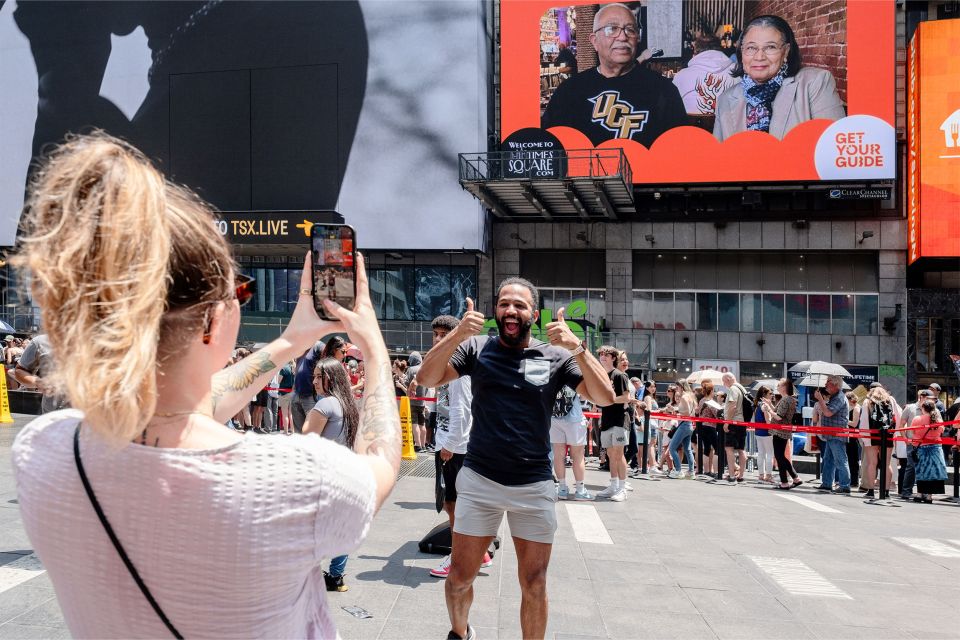
This is the part that decides whether your “movie-star moment” happens smoothly. You’ll upload your photo or video to reserve your spot, and your time slot is not reserved until you submit the file—so don’t wait until the last minute to upload.
After you purchase, you’ll get a code you use for the upload. Keep your file ready and aligned with the rules. Submissions can be denied if the file includes watermarks, brands, or logos, and there are also restrictions around nudity, smoking, or vulgarity.
The platform is also strict about anything that looks like advertising. Avoid QR codes, links, or content that resembles an advertisement. One reason this matters: if you’re tempted to add a promo message or include something like a website address, it might get rejected.
If you’re doing a family or couple surprise, aim for clarity over complexity. A big billboard is forgiving in some ways, but it’s still a screen—your image will look best when the subject is easy to recognize. If you’re using a collage, make sure faces and key details are large enough to read.
Also, plan around timing for changes. You can change your photo or video as long as it’s requested 24 hours in advance of your display date and the media has not been shown on the billboard yet. So if you’re switching from a backup photo, do it early enough that you’re not gambling.
Frames, Text, and Turning a Screenshot Into a Real Message
You’re not limited to plain-and-boring. You can choose one custom frame per photo, with options that match common big-life moments like Happy Birthday, Congratulations, and even Will you marry me. That framing helps your image read fast in a place where people are constantly looking up and moving.
You can also include a short line of text within your photo or video. This is one of the most useful tweaks you can make if the surprise is for someone who will be watching your image from inside the crowd—or for friends and family watching the live stream.
If you’re doing a birthday, engagement, or milestone, think like a billboard editor: one message, short and clear. People will only see you for 15 seconds, and they’ll see it while walking. Your goal is instant recognition and instant emotion.
And if you’re celebrating a group, you have room to include everyone. There’s no cap on the number of people that can appear in one photo. So if your “family photo” plan is really a crew photo, you can go for it without cutting anyone out.
Watching It in Person and Online: Getting the Surprise for More People
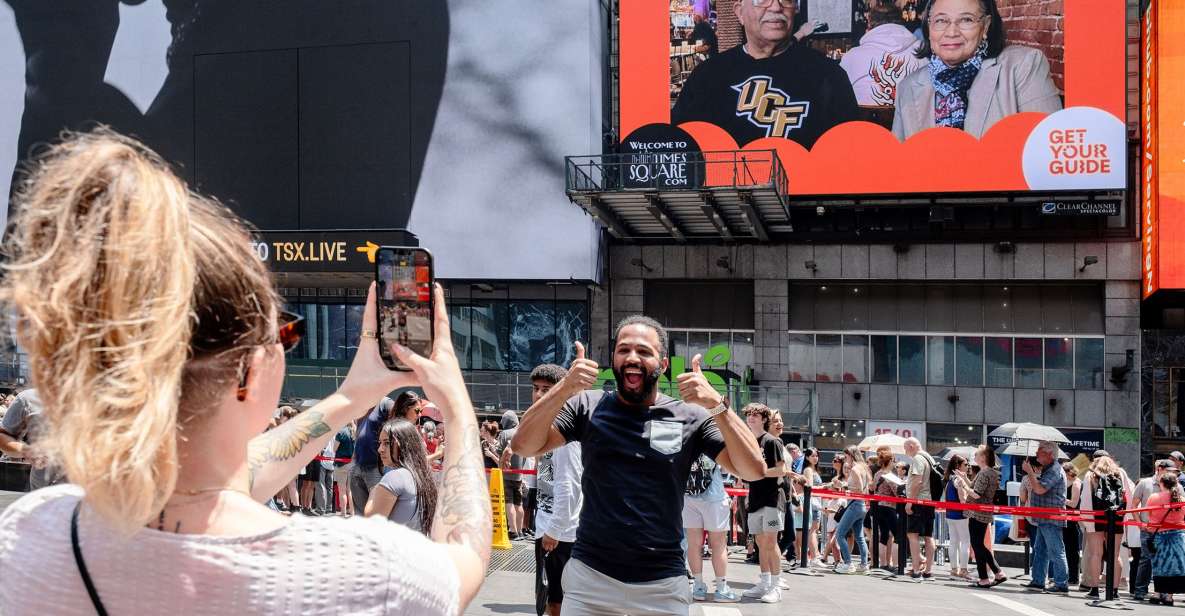
One of the smartest parts of this experience is that you don’t have to choose between in-person magic and sharing it beyond New York. You can see the billboard in person and also watch a live stream online.
That matters because Times Square moments are often about more than the person in front of the camera. If you have relatives back home, or friends who couldn’t travel, they can still see the billboard run in real time. The hourly repetition makes that sharing even easier, since there are multiple moments to watch and react.
In person, it helps to have your phone ready before you ever feel the urge to fumble. You’ll want proof, but more importantly you’ll want to capture what your subject sees. The best reactions usually happen when the person spots themselves or the message and then looks around to confirm it’s really there.
For viewing, choose your strategy. Some people stand and watch for the exact hour and treat it like a mini event. Others do a quick check during one or two time blocks, then let the rest of the day pass with the sense that it’s still running. Either way, the live stream gives you a safety net if the crowd gets in your way or if your angle isn’t perfect.






Price and Value: Does $150 Buy Enough Wow?
At $150 per person, this is not a small impulse buy. But billboard time in Times Square is also not cheap, and you’re paying for more than a photo placement—you’re paying for repeat visibility and a premium NYC setting.
Here’s the value math that makes this easier to judge:
- You get 15 seconds every hour for 24 hours, not one brief appearance.
- You’re able to share it via live stream, which can multiply the emotional return for families spread across time zones.
- You can make it occasion-specific using frames and a text line, so it feels like a gift rather than a random upload.
The main reason people hesitate is the same thing that makes this feel special: it’s short. Some people wish the screen time lasted longer than 15 seconds. But the trade-off is that the billboard runs are frequent enough that you don’t feel trapped in one exact moment.
For birthdays, engagements, or big milestones, the “worth it” factor tends to show up fast. The experience is designed for that kind of emotional payoff—movie-star feelings, shock, smiles, and people talking about it after the trip ends.
Quick Tips for a Smooth Surprise (And a Few Common Snags)
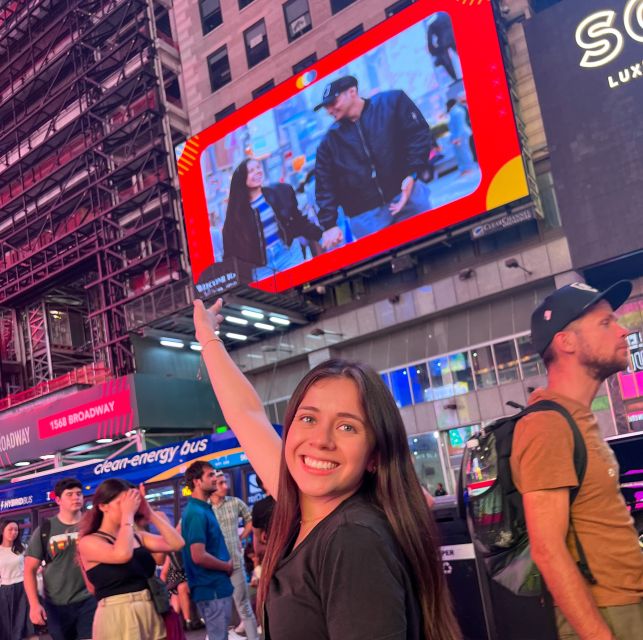
If you want your day to feel effortless, start with the practical stuff.
First, find the billboard area early enough that you’re not searching while excited. Times Square is huge and crowded, and you’ll waste energy if you’re trying to locate 1560 Broadway in the final minute.
Second, be careful with timing. You’ll receive your time slot confirmation within 24 hours, but your slot isn’t reserved until you upload. If you’re aiming for a specific day’s first showings, upload sooner rather than later.
Third, be prepared for glare and angles. In daylight, the screen can be harder to read from certain spots. If your priority is seeing it clearly, aim to watch during hours when the screen looks best to your eyes.
Fourth, keep your expectations realistic about the surprise. This is not a private showing. You’re in a public place, and that’s part of the fun—but you’ll likely have a moment where you wait and then catch it. People who enjoy the process tend to have the best time.
Finally, double-check your dates. One hiccup that can happen is confusion between the date you expect and the date that appears in your paperwork. If you’re planning a birthday surprise, verify the display date before you show up. It only takes a minute, and it can prevent stress.
Should You Book This Times Square Billboard Moment?
You should book if you want a clear, emotional NYC experience with an iconic backdrop and an easy way to share it with people who aren’t there. It’s especially great for birthdays, engagements, anniversaries, and “I can’t believe we’re doing this” surprises where the reaction is the whole point.
You might skip it if you want a long, guided activity with lots of structure. This is a billboard moment, not a tour with multiple stops and explanations. Also, if you’re extremely sensitive to crowds or you hate waiting in a public space, consider choosing a viewing time when you’ll feel comfortable.
If you’re organized about uploading your photo or video, you’ll set yourself up for a smooth run. Do that part right, arrive with a plan, and you’ll walk away with the kind of memory that’s hard to manufacture anywhere else.
FAQ
Where is the Times Square billboard located?
The billboard is at 1560 Broadway, between 46th and 47th St. It’s above the Pelé store and directly across from the TKTS red steps.
How long does my photo or video show?
Your photo or video displays for 15 seconds every hour for 24 hours on your selected date.
What if there are technical issues with the billboard display?
You’re guaranteed 22 showtimes within the 24-hour period in case of technical difficulties.
Can I submit one photo for a group?
Yes. You can use one ticket for a group photo. There’s no cap on how many people can appear in a single photo.
Can multiple people have separate photos?
Yes. If you want separate photos or videos per person, you can buy multiple tickets, with each person uploading their own media.
Can I add a custom frame or text?
Yes. You can choose one custom frame per photo and include a short line of text for display.
How do I reserve my time slot?
After purchase, you’ll use the code you receive to upload your photo or video. Your slot isn’t reserved until you submit your media.
How soon will I get confirmation of my time slot?
You’ll get confirmation of your assigned time slot within 24 hours.
Can I change my photo or video after uploading?
You can change it as long as it’s requested 24 hours in advance of the display date and your file has not already been shown on the billboard.
Are there content restrictions for uploads?
Yes. Files may not include watermarks, brands or logos, nudity, smoking, or vulgarity. Submissions can also be declined if they include QR codes, links, or anything that resembles an advertisement.